We are living in the 21st century and today is the year of technology. Where more than half of our work is done with computers and mobiles. In today's time, computers and smartphones are the most used electronic devices. A lot of parts are required for a computer run. Such as a monitor, keyboard, mouse and CPU.
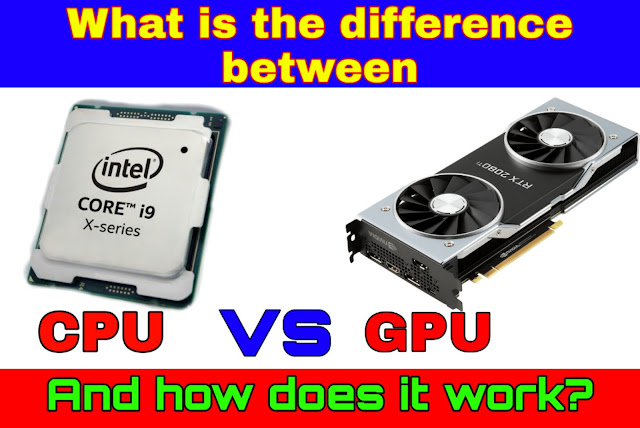
The CPU is most important for both computer and smartphone, which is also called the brain of the computer.
Apart from this, high-performance processors are installed in computers and smartphones nowadays. Which increases the speed of the device, the name of this processor is GPU. Whenever we go to the showroom to buy a new computer or laptop, then we hear the CPU and GPU names in its specifications.
What are the CPU and GPU, how does it work and what is the difference between them, you will be given information in this post, so let's start.
First of all, we will know
CPU is known by many names such as Processor, Intel Processor, Micro Processor It is also called as the brain of the computer because it receives the work of the hardware and software of the computer. Processes them. His result shows in front of the user. Therefore it is an essential part of the computer. There is a small chip which is present on the motherboard.
The chip of the CPU is made up of many transistors. The program runs with the help of a transistor. And the CPU completes the job of calculus. The CPU receives all the interactions of the computer and commands given by the user and completes the Billions task within 5 seconds. You can guess this, these computers do all the things in our blink of an eye. There is so much CPU capacity, so much faster computer work. In today's time, multi-core CPUs are installed in computers. Computer speed increases many more.
performs graphical calculations. What was previously CPU work, computer graphics is called computer-created pictures and movies. Everything we see on the screen of our computers and smartphones is called graphics. Nowadays applications with high graphics are coming on computers and smartphones and the CPU is getting loaded with processing, due to which these applications score faster. GPU was created because it could not run. So that it can do CPU work easily
The main function of the GPU is to reduce the CPU load. The GPU's job is to clean the image so that the image arrives on the computer's display fast. The technology of Parallel processing is used in this. This makes the GPU do a lot of graphical work very fast at the same time. This improves the quality of video and images, GPUs are used for gaming in computers and mobiles because high graphic or 3D animation is used in gaming, especially only the GPU can run and in the computer, you can never use video or images. When you edit, GPU is most commonly used at that time. Like CPUs, GPUs also have multi-core processors, which improves computer performance.
Also, Read
What is the difference between HDD vs SSD?
If a smartphone has a Qualcomm processor, the Adreno GPU is available in which you will get to see Google Pixel Sony Samsung HTC Mi and LG company smartphones.
If you have a Media Tech processor in your phone, then you get a Mali GPU, which is used in the Samsung Core Hawaii smartphone. It integrates with all GPUs.
2. The GPU is used to be used for Czech laptops and computers because it is installed separately in an external way. If you like to play games on the computer but do not have a good graphic card in the system, then you can use leggings while playing the game. You have an option to solve the problem, you can easily get any graphic card purchased separately. Like AMD, Intel, Gaming has good performance and large file gaming software runs properly in your laptop.
The CPU on the computer is a general proposal processor. It performs all kinds of tasks, such as mathematical calculations. MS Word, XL, PowerPoint Watching movies or songs. Browsing the Internet does a low CPU. But the GPU is a facial proposal processor that handles the graphic of the computer and processes all the visuals that appear in the computer.
The CPU is called the brain of the computer that performs all kinds of tasks and helps to make graphics faster. It is designed to accomplish specific tasks.
CPU has very few cores, which reduces its ability to work, but GPUs have much more cores than CPU, this helps the GPU to work easily, it increases the computer
CPU cores work on serial processing and perform only one task at a time
GPU has parallel architecture courses which can do a lot of work at a time, which is why the quality of images and movies is good.
CPU requires more memory for processing tasks, GPUs require less memory for processing tasks than CPU
Hope you have understood the difference between CPU and GPU through this post. If you have any problem then you can comment by telling us
Thank you

The CPU is most important for both computer and smartphone, which is also called the brain of the computer.
Apart from this, high-performance processors are installed in computers and smartphones nowadays. Which increases the speed of the device, the name of this processor is GPU. Whenever we go to the showroom to buy a new computer or laptop, then we hear the CPU and GPU names in its specifications.
What are the CPU and GPU, how does it work and what is the difference between them, you will be given information in this post, so let's start.
First of all, we will know
What is the CPU? And how does it work?
CPUs full name is "Central Processing Unit". It is known by its name that it is a hardware that runs all the work software on the computer. Running the program. It works continuously runs the application through the operating system. This computer All of the important tasks handle logical input-output.CPU is known by many names such as Processor, Intel Processor, Micro Processor It is also called as the brain of the computer because it receives the work of the hardware and software of the computer. Processes them. His result shows in front of the user. Therefore it is an essential part of the computer. There is a small chip which is present on the motherboard.
The chip of the CPU is made up of many transistors. The program runs with the help of a transistor. And the CPU completes the job of calculus. The CPU receives all the interactions of the computer and commands given by the user and completes the Billions task within 5 seconds. You can guess this, these computers do all the things in our blink of an eye. There is so much CPU capacity, so much faster computer work. In today's time, multi-core CPUs are installed in computers. Computer speed increases many more.
What is the GPU? And how does it work?
GPU's full name is "Graphical Processing Unit" It is considered to be the advanced unit of CPU.performs graphical calculations. What was previously CPU work, computer graphics is called computer-created pictures and movies. Everything we see on the screen of our computers and smartphones is called graphics. Nowadays applications with high graphics are coming on computers and smartphones and the CPU is getting loaded with processing, due to which these applications score faster. GPU was created because it could not run. So that it can do CPU work easily
The main function of the GPU is to reduce the CPU load. The GPU's job is to clean the image so that the image arrives on the computer's display fast. The technology of Parallel processing is used in this. This makes the GPU do a lot of graphical work very fast at the same time. This improves the quality of video and images, GPUs are used for gaming in computers and mobiles because high graphic or 3D animation is used in gaming, especially only the GPU can run and in the computer, you can never use video or images. When you edit, GPU is most commonly used at that time. Like CPUs, GPUs also have multi-core processors, which improves computer performance.
Also, Read
What is the difference between HDD vs SSD?
GPUs are used in 2 ways in computers and mobiles.
1. The GPU is already integrated into the computer i.e. it is a part of the computer's processor. The one who handles all the graphics of the system as if a computer has an Intel processor then watch HD graphics to you at Intel.If a smartphone has a Qualcomm processor, the Adreno GPU is available in which you will get to see Google Pixel Sony Samsung HTC Mi and LG company smartphones.
If you have a Media Tech processor in your phone, then you get a Mali GPU, which is used in the Samsung Core Hawaii smartphone. It integrates with all GPUs.
2. The GPU is used to be used for Czech laptops and computers because it is installed separately in an external way. If you like to play games on the computer but do not have a good graphic card in the system, then you can use leggings while playing the game. You have an option to solve the problem, you can easily get any graphic card purchased separately. Like AMD, Intel, Gaming has good performance and large file gaming software runs properly in your laptop.
Now, what is the difference between CPU and GPU?
Both GPU and CPU are processors that carry out the work of computer hardware and software.The CPU on the computer is a general proposal processor. It performs all kinds of tasks, such as mathematical calculations. MS Word, XL, PowerPoint Watching movies or songs. Browsing the Internet does a low CPU. But the GPU is a facial proposal processor that handles the graphic of the computer and processes all the visuals that appear in the computer.
The CPU is called the brain of the computer that performs all kinds of tasks and helps to make graphics faster. It is designed to accomplish specific tasks.
CPU has very few cores, which reduces its ability to work, but GPUs have much more cores than CPU, this helps the GPU to work easily, it increases the computer
CPU cores work on serial processing and perform only one task at a time
GPU has parallel architecture courses which can do a lot of work at a time, which is why the quality of images and movies is good.
CPU requires more memory for processing tasks, GPUs require less memory for processing tasks than CPU
Hope you have understood the difference between CPU and GPU through this post. If you have any problem then you can comment by telling us
Thank you